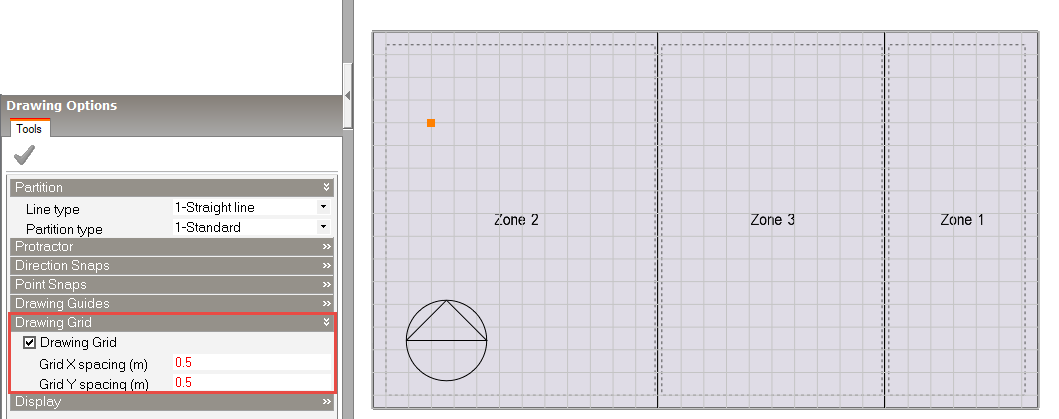
The Drawing Grid Drawing option provides a different, more visual way to obtain snap points based on a grid when drawing new objects at Block and Surface levels:
Block when using any block level drawing tool (Partitions, assembly, Construction lines)
Surface when using any surface level drawing tool (Window, Subsurface, Hole, Door, Vent, Boundary conditions, Construction lines).
The Drawing Grid can be accessed when at block or surface level from the bottom left Drawing Options panel when adding a new object. See the screenshot below which shows the Grid in use at block level.
The Grid can be used in combination with Increment snap and the other Point Snap options.
Note: Once the Drawing Grid option has been selected on the Drawing Options panel, the actual display of the grid only becomes active when a drawing tool has been selected (e.g. Draw Window at the surface level).
When the Drawing grid display is active, an additional Set drawing grid origin tool becomes available on the main Toolbar: 
This tool enables the drawing grid to be dimensioned from any key point in the display. For example, at the surface level, the corner of an existing window could be used to set the grid origin and then additional openings could be added relative to that existing window.
See also: Increment Snap