You can export a file in IFC format with heating and cooling loads results for loading into MagiCAD.
 About MagiCAD
Fully integrated within Autodesk’s Revit and AutoCAD platforms, MagiCAD offers a set of powerful modelling functions for each MEP discipline enabling integrated system calculations. The integration with MagiCAD allows you to feed your DesignBuilder load calculation results back into Revit and from there undertake ductwork and pipework design.
The DesignBuilder > MagiCAD integration works as follows:
Export the architectural model directly from Revit by using the native Revit gbXML export.
Load the gbXML into DesignBuilder and make any further changes to the model as required.
Perform the Heating and Cooling design calculations in DesignBuilder.
Export the results using DesignBuilder's File > Export > Export MagiCAD menu command. This produces a simplified IFC file containing the results.
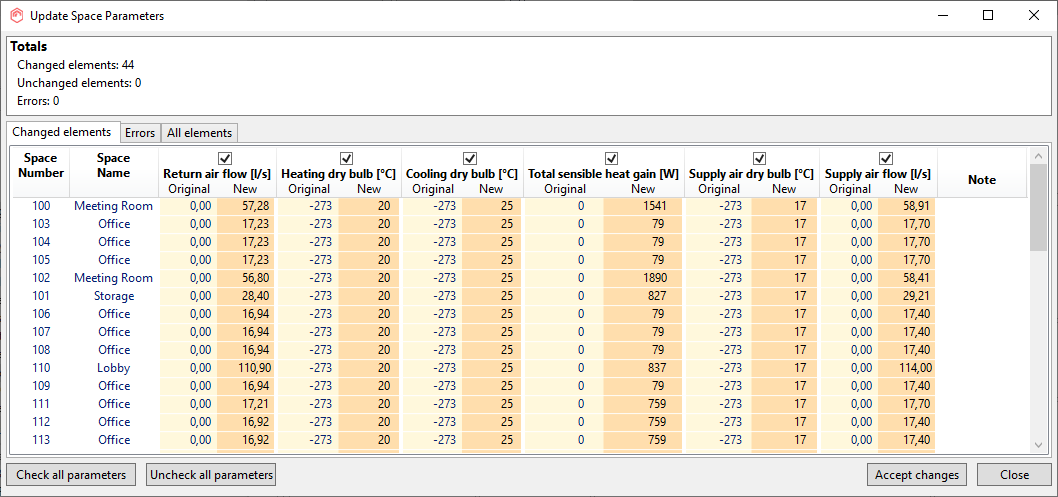
From within MagiCAD click on the Import from Design Builder tool. Select the exported IFC file to start the import process. Where the space names and numbers from the active Revit project match the equivalent in the IFC file, the results are loaded to the Revit space instances. In case of mismatches, the spaces can be mapped manually.