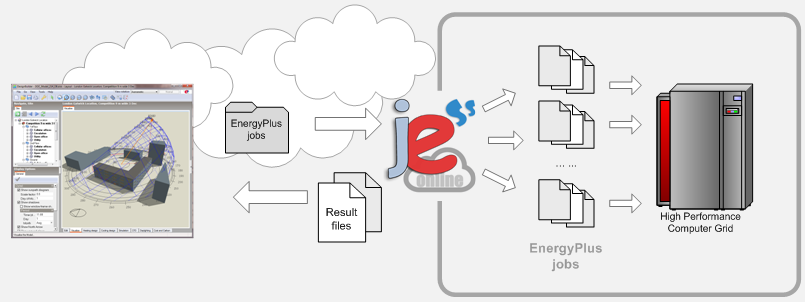
JESS (Java EnergyPlus Simulation Server) is a software system developed by Ensims to provide remote simulation solutions to EnergyPlus users. JESS Online is a service which runs time-consuming simulation jobs on Ensims' high-performance computers.
Advantages of using JESS include:
Free up your local computer for other tasks while you are waiting for simulations to complete.
Simulations complete quicker in most cases, especially for larger models.
Large models which may fail to simulate on your local machine due to lack of memory may run on the JESS service.
Option to use the JESS Accelerate method, which can speed simulations by 5 to 10 times.
The animation below summarises the method:
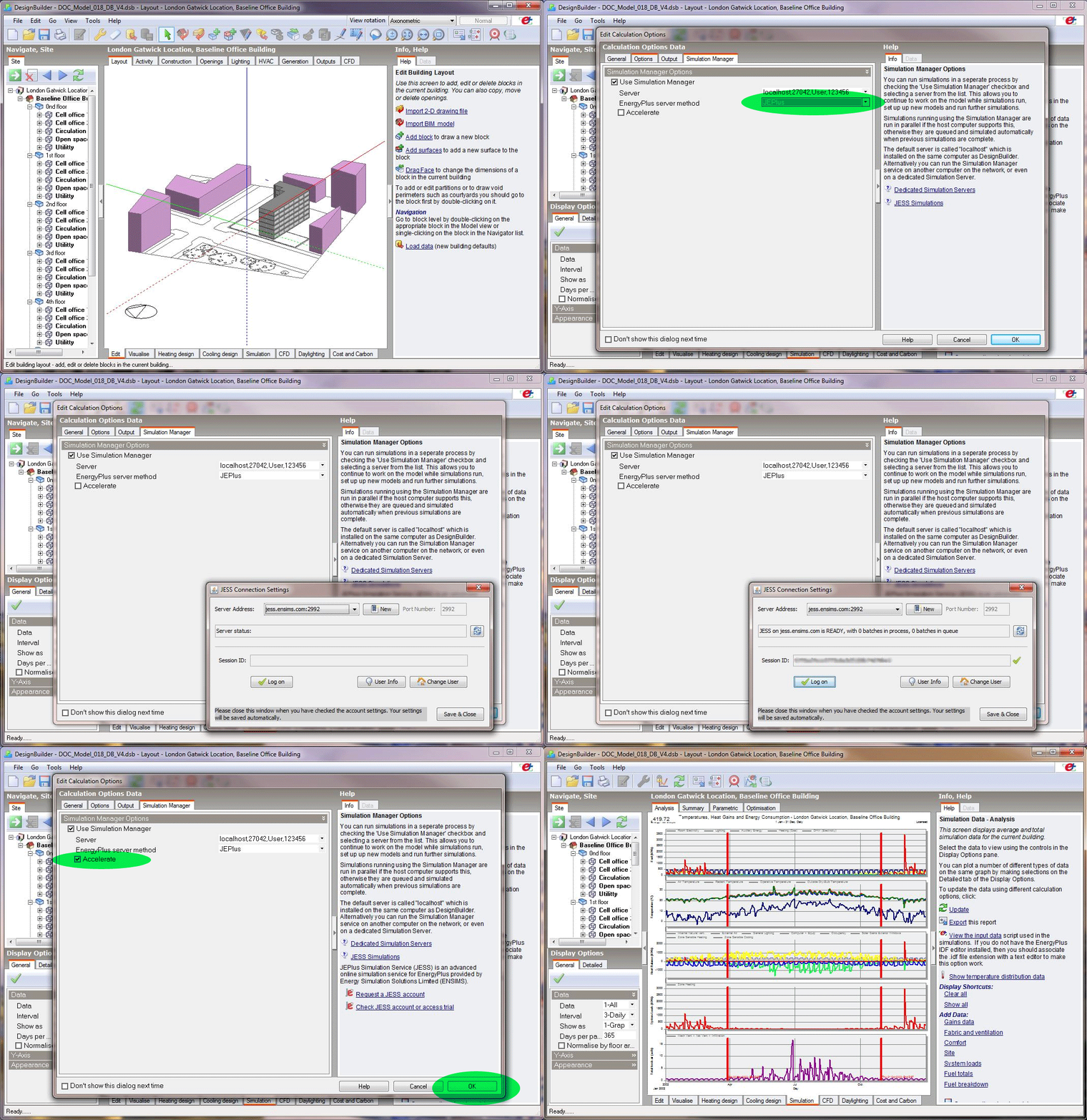
1. Request a JESS account on the Ensims website.
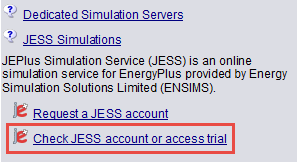
2. Log on with your JESS username and password from the dialog in DesignBuilder. To access this dialog, go to the Simulation Manager tab of the Simulation Calculation Options dialog and click on the Check JESS account or access trial Info panel link:
Enter your credentials on the dialog. Confirm that you agree with the JESS conditions and click on Log on button: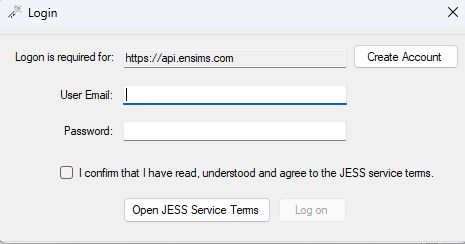
3. On the Simulation Manager select the localhost Server and the JEPlus EnergyPlus Server Method.
4. Select the Accelerate option if you have checked and understood the implications.
5. Continue to use the Simulation Manager as you would for any other localhost session.