
HVAC Loads Report (BETA)
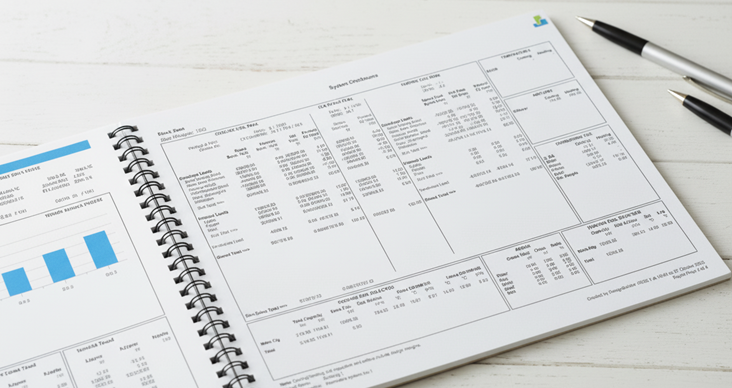
How to Generate HVAC Loads Reports
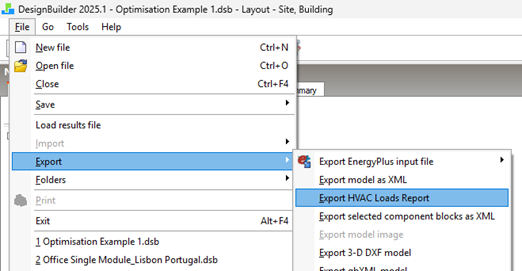
Step 1: To generate the HVAC loads report, first run the Heating Design and Cooling Design calculations. Then, on the Heating or Cooling Design tab, go to File > Export > Export HVAC Loads Report.
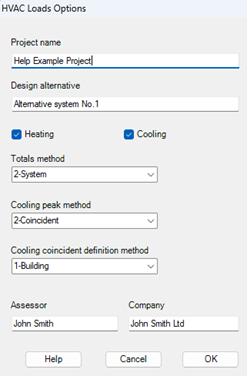
Step 2: This will open the ‘HVAC Loads Options’ dialog. In this dialog select the settings to define the data to be displayed and press OK. You can find an explanation of these options here.
Step 3: This will create a combined heating and cooling loads summary for each zone in a standard PDF format. Once generated, you can save and open the report.
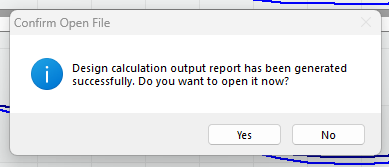
You can find a sample report here.
Note: This is a Beta feature under development. If you use these reports in your work, we would appreciate your feedback on the current structure of our report and any changes or additions you would like to see. You can provide that feedback below, and our support team will contact you if any clarification is needed.