DesignBuilder: One High-Productivity Interface for Every Workflow
IBPSA USA intro

This page summarizes how DesignBuilder can help you to minimize modeling time and maximize your productivity and profitability. It highlights several capabilities not available in comparable software and gives you access to useful free resources and links to ASHRAE and LEED modeling content, including upcoming webinars and real project case studies.

DesignBuilder was the first commercial EnergyPlus interface over 20 years ago. It is still the most capable. All from a single interface and one model, from early-stage concept through detailed design, compliance, and advanced analysis. Below are a few capabilities you probably won’t find in other commercial simulation tools. They change what's possible:

Icon1 50x50
Icon2 50x50
Icon3 50x50
Icon4 50x50
Icon5 50x50
Icon6 50x50
Icon7 50x50
Icon8 50x50
Icon9 50x50
Icon9 50x50
Icon10 50x50
Icon12 50x50
Project delivery is faster with DesignBuilder, especially with large and complicated models. Their scripting tools enable us to model non-standard HVAC systems and controls without workarounds, and their support team are incredible!
ISIAH GLOVER
ISIAH GLOVER
Technical Associate Director, Alliant, Houston
DesignBuilder has improved my efficiency on LEED projects. It automates much of the baseline building and HVAC setup and simplifies reporting via automated export to a pre-filled MEPC spreadsheet.

PAUL CAICEDO
PAUL CAICEDO
EMBE Consulting Engineers, Calgary
We use DesignBuilder extensively for load calculations, parametric/sensitivity analysis, daylighting, tariff and onsite energy generation and storage modeling. It delivers strong value, with a licensing cost that is quickly offset by its capabilities and the quality of support.
GREG ESTEP
GREG ESTEP
LN Consulting, Vermont

DesignBuilder ASHRAE Modeling Webinars

17th June 2026 and 5th August 2026 | 12:00 - 13:00 EDT

The ASHRAE 90.1/LEED modeling webinar will show you – in real time – the DesignBuilder workflow that makes ASHRAE 90.1/LEED modeling much faster.

The ASHRAE 209 modeling webinar will show you how DesignBuilder supports all Standard 209 modeling cycles within a single model, reducing model setup time and improving QA and analysis. You will see multi-objective optimization and sensitivity tools which enable you to complete Standard 209 cycles that comparable tools simply can't support.

Register for the webinars here:

Additional free resources to help you quickly learn DesignBuilder fundamentals

We have a range of free online tutorials, and you can try the software with no commitment using our free 30-day trial licence. The tutorials provide an easy way to help you assess DesignBuilder’s core features during your evaluation.

ASHRAE Standard 90.1

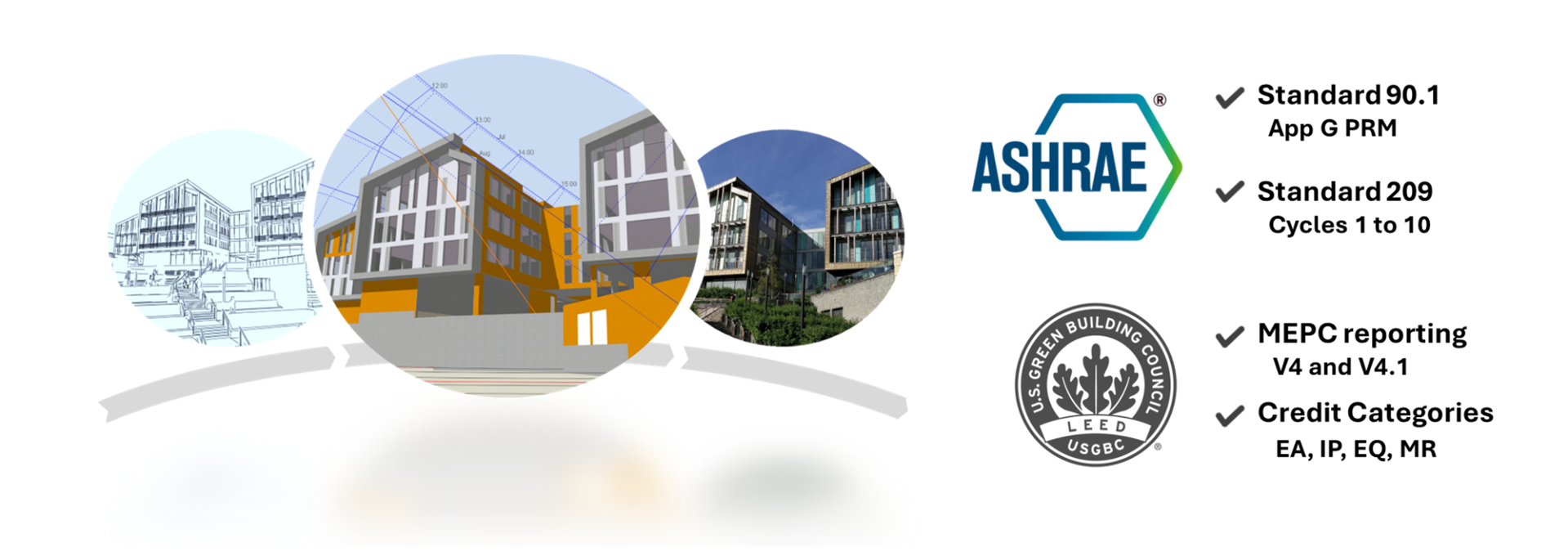
Quickly and easily create and then transform a proposed building model into an ASHRAE 90.1 baseline model using DesignBuilder’s industry-leading automated baseline building and HVAC system generation tools. Your model can be updated as the design evolves without starting again. DesignBuilder also automatically generates pre-filled LEED v4.0 and v4.1 Minimum Energy Performance Rating (MEPC) spreadsheets.

See our ASHRAE 90.1 and LEED module page for key features, including time-saving automated processes for ASHRAE Standard 90.1 and LEED.

DesignBuilder's ASHRAE 90.1 Appendix G PRM Reference can be found in our Program Help, which contains links to detailed User Guides. DesignBuilder’s cost-effective ASHRAE 90.1/LEED modeling on-demand training is available to provide the knowledge you need to effectively and efficiently use DesignBuilder’s ASHRAE 90.1 and LEED modeling tools for maximum productivity.

LEED

DesignBuilder provides dedicated tools to allow you to quickly and easily undertake modeling for various LEED credits and create dedicated reports for them. These include automated tools for ASHRAE 90.1 modeling, LEED MEPC reporting for energy credits, and formatted reports for daylight credits.

A summary of all LEED credit reports available from DesignBuilder is here: LEED modeling in DesignBuilder.

Further guidance on automated generation of pre-filled MEPC reports can be found in our Program Help, which has a dedicated document explaining the process.

DesignBuilder’s cost-effective ASHRAE 90.1/LEED modeling on-demand training is available to provide the knowledge you need to effectively and efficiently use DesignBuilder’s ASHRAE 90.1 and LEED modeling tools for maximum productivity.

ASHRAE Standard 209

DesignBuilder supports all Standard 209 modeling cycles (1 to 11) within a single model, reducing model setup time and improving QA and analysis at each stage. DesignBuilder's unique multi-objective optimization and sensitivity analysis tools enable you to complete Standard 209 cycles that comparable tools simply can't support.

Structured data hierarchies, template mechanisms, color-coded inputs, and visual diagnostics make it faster to set up, transition between, and QA-check each modeling cycle as the project evolves. Runtime scripting lets you override standard simulation inputs and algorithms to model almost any real-world design without workarounds. Design optimization using genetic algorithms enables you to automate design iteration to identify better-performing options that manual trial-and-error typically misses (for compliance with 209 cycle 6). Uncertainty and sensitivity analysis helps you to understand which variables actually drive performance in your model, and how to communicate that rigorously (for compliance with 209 cycle 1).

Phase 1 - Pre-Design (General Requirements): Establishing the foundational performance baseline through climate and site analysis, where DesignBuilder Climate Analytics can be used to identify and obtain correct simulation weather data for your model.

Phase 2 - Design (Cycles 1–8): Driving the core iterative process, from early-stage simple massing and envelope load reduction through to detailed HVAC selection and multi-objective optimization. All core DesignBuilder modules (3D modeler, Simulation, Visualization, HVAC, and Optimization) within a fully-integrated user interface allow seamless transitions from broad, generic templates to exact manufacturer specifications and use of automated genetic algorithms.

Phase 3 - Construction and Operation (Cycles 9–11): Quantifying the as-built performance and undertaking post-occupancy evaluation can be undertaken by developing calibrated models as discussed in these case studies: Accurately Assess In-Use Performance in DesignBuilder and Performance Gap Assessment Using Calibrated Digital Twin Models.

Case Studies

Note: To access the case studies, please log in to your account. If you don’t have one, then please create one (free – no commitment)

Why Choose DesignBuilder

Icon1 50x50

Shared Network and Single User Licenses

Cost-effective and flexible licensing options that help you to minimize licensing costs, management overhead and complexity

Learn more

Icon2 50x50

True Multi-Objective Optimization Using NSGA2

Automate many design iterations to clarify cost/performance trade-offs and identify better-performing designs (ASHRAE 209 Cycle 6)

Learn more

Icon3 50x50

Runtime Scripting

Override standard simulation algorithms during simulations to model non-standard real-world systems and controls without workarounds (ASHRAE 209 Cycle 5)

Learn more

Icon4 50x50

Flexible ASHRAE 90.1 Workflow

Automated ASHRAE 90.1 baseline model and HVAC system generation. Your model can be updated as the design evolves without starting again

Learn more

Icon5 50x50

LEED Reporting (MEPC, Daylight and Other Credits)

Generate pre-filled MEPC spreadsheets and formatted reports for daylight credits. Also, undertake calculations for the criteria under EA, IP, EQ & MR categories

Learn more

Icon6 50x50

Uncertainty and Sensitivity Analysis

Understand which model inputs are most influential in your models and are actually driving the performance (ASHRAE 209 Cycles 1 and 6)

Learn more

Icon7 50x50

Flexible HVAC Heat Exchangers

Connect the supply and demand sides of different heating/cooling/condenser loops in systems to one another to model virtually any real-world HVAC system

Learn more

Icon8 50x50

Radiance Daylighting

Generate daylight results and reports including LEED in an integrated workflow including both the Illuminance and Climate-Based Daylight Modelling (CBDM) methods

Learn more

Icon9 50x50

Integrated Internal and External CFD

Fast spatial airflow and comfort analysis in a streamlined modelling workflow that integrates directly with EnergyPlus results for more accurate results

Learn more

Icon10 50x50

EnergyPlus Airflow Network Modeling

A practical way to model passive natural ventilation and mixed-mode designs, allowing accurate analysis of passive design, overheating, and hybrid ventilation systems

Learn more

Icon11 50x50

LCA, LCC and Operational Cost Reports

Native embodied carbon calculation tools or link your model to One Click LCA to generate outputs for LEED LCA credits

Learn more

Icon12 50x50

Expert Technical Support

A highly responsive technical support team providing timely professional help and guidance, therefore avoiding you from relying on online forums

Learn more

DesignBuilder has been my go-to teaching tool for 4 years. Its learning curve is manageable for students and the optimization tools enable me to teach auto-calibration workflows that would otherwise be very difficult to demonstrate.
BIANCA HOWARD
BIANCA HOWARD
Columbia University, New York
We have found that DesignBuilder software is straightforward to use, and its interface is well-designed to speed up the modelling workflow. The Design Builder support team has been supportive and responsive in answering our questions.
JUNRU SHEN
JUNRU SHEN
Building Performance Consultant, Stantec, Vancouver, CA
DesignBuilder’s LEED modeling and automated MEPC reporting tools have saved me an enormous amount of time. Their multi-variable optimization tools have provided insights that would not be possible using “traditional” iterative modeling methods.
JIM DIRKES
JIM DIRKES
Grand Rapids, MI

Get Started with DesignBuilder for Free

Find out for yourself why so many companies and universities choose DesignBuilder

Contact Us

  • DesignBuilder Software Ltd
    Office D
    Five Valleys
    Stroud, Gloucs
    GL5 1RR
    UK 
  • +44 (0) 1453 755500
  • info@designbuilder.co.uk
keyboard_arrow_up