ASHRAE 90.1 and LEED
Modelling Guidance
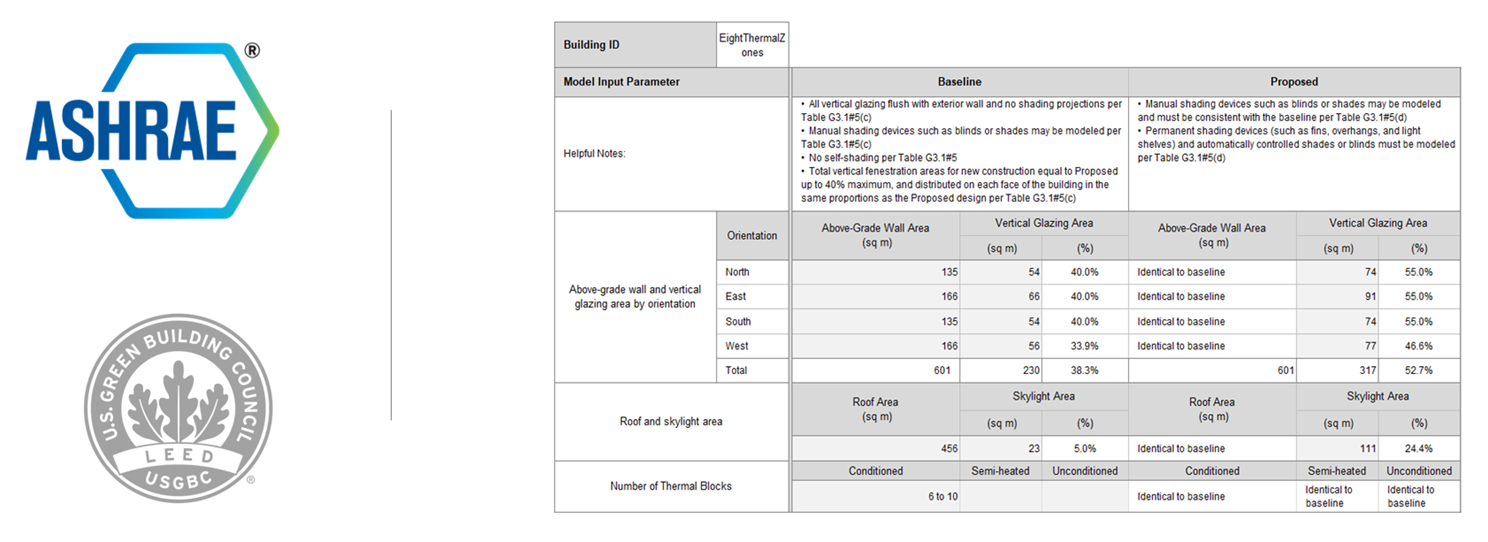
ASHRAE 90.1 and LEED User Guide: This comprehensive guide explains how to carry out ASHRAE 90.1 Appendix G Performance Rating Method (PRM) modelling using DesignBuilder. It shows how to develop proposed building models and convert them into baseline models with automated wizards, and how to configure detailed HVAC systems. The guide includes workflows for LEED credits EAp2 and EAc1. It also features appendices on coil efficiency, fan pressure rise calculations, PIU fan sizing, and QA checklists for LEED submissions.
LEED MEPC User Guide: The document explains how to use the Minimum Energy Performance Calculator (MEPC) reporting feature in DesignBuilder for LEED compliance. It provides step-by-step instructions for generating auto-filled LEED MEPC spreadsheets from ASHRAE 90.1 simulations, outlines precautions, and provides model preparation requirements. The guide also includes appendices on calculating conditioned areas, glazing U-factor, SHGC, VLT, and DX coil efficiency.
Modelling Guide for Unmet Load Hours: This document provides detailed guidance on understanding, diagnosing, and reducing unmet load hours in building energy simulations. It explains what unmet load hours are, how they are calculated and monitored, and why they matter for compliance with standards like ASHRAE 90.1 and LEED. The guide includes troubleshooting strategies for common issues, including incorrect HVAC sizing, airflow rates, schedules, and setpoint management. It also covers best practices for using temperature distribution plots, tolerance settings, and advanced tools like optimisation and sensitivity analysis to address them.
DesignBuilder also generates formatted reports for LEED Daylight Credits and has native integration with OneClick LCA for LEED credits under the Materials and Resources category.
Click here for the list of all LEED analysis options in DesignBuilder.
OnDemand Webinars
Case Studies
Extensibility Resources
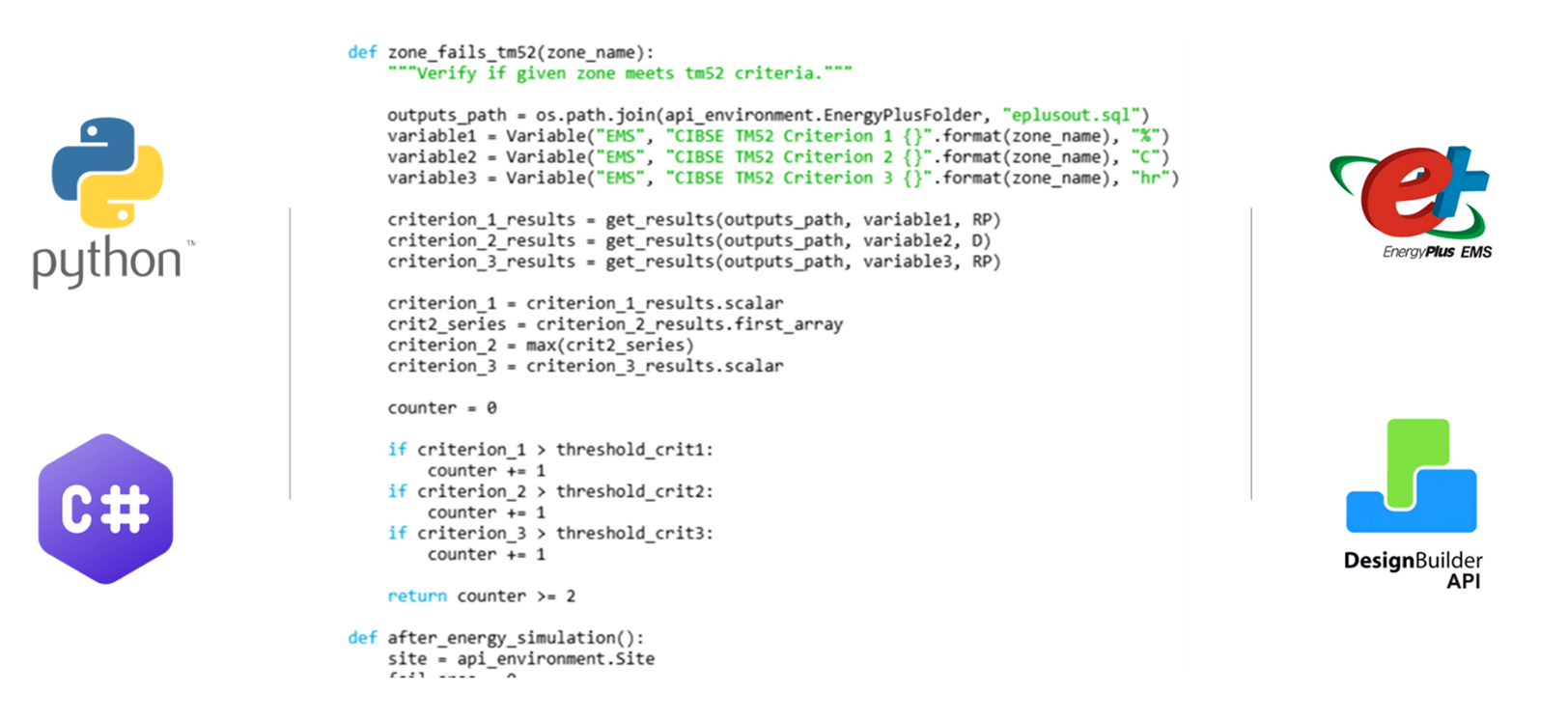
Extensibility Tools and API User Guide
This guide explains how users and developers can customise and extend DesignBuilder’s functionality through scripts and plugins. It covers the use of the DesignBuilder API to access and manipulate building models, simulation processes, and data tables. The guide details how to write and enable scripts in C# or Python, implement hook points during simulations, and develop more advanced plugins that can add dynamic menus and integrate external libraries. Additionally, it provides information on working with model attributes, database tables, and geometry extraction, offering a complete framework for creating tailored workflows and automating tasks within DesignBuilder.
API Reference and GitHub Repository
Extensibility uses the DesignBuilder API. The API reference provides a complete catalogue of classes, methods, properties, and enumerations that developers can use to interact with DesignBuilder’s core functionality. It explains how to access model objects, manipulate attributes, subscribe to events, and leverage simulation hook points. By using this reference, you can confidently extend DesignBuilder to integrate external tools, perform bespoke calculations, and tailor the software to meet specific project requirements.
Our GitHub repository provides a comprehensive collection of practical examples for DesignBuilder extensibility. It includes Python scripts, C# plugin templates, and utility functions that demonstrate how to interact with the DesignBuilder API. These examples cover common tasks such as automating parametric studies, generating custom reports, and extending HVAC system controls.
API Reference Library DesignBuilder GitHub
DesignBuilder XML (dsbXML) Format Guide
The guide explains how to export and import models in XML, details the schema structure, object hierarchy and geometry definitions, and provides best practices for interoperability with third-party tools. You’ll learn how to include library data for self-contained packages, validate against the official schema, and even generate models programmatically for integration with other applications. In addition, the guide covers advanced topics such as HVAC networks, loops, and components, equipping you to create, edit, and manage XML files effectively.
CIBSE Modelling with DesignBuilder

Summer Overheating: CIBSE TM52, TM59, and Part O
To evaluate overheating risk through dynamic thermal simulation, you can undertake TM52 (non-domestic buildings), TM59 (residential buildings) and Part O (UK Building Regulations) calculations with DesignBuilder and generate TM52/TM59 reports with pass/fail indicators. DesignBuilder streamlines these assessments by providing dedicated output options, templates, and workflows, enabling users to quickly configure models, apply appropriate weather data, and generate compliance reports for both methodologies.
Guidance on generating these reports can be found here: CIBSE TM52; CIBSE TM59, Part-O.
DesignBuilder Overheating Training gives you the skills you need to offer your clients reports demonstrating compliance with the overheating-related requirements of Building Regulations (including Part O), plus the knowledge to comply with relevant aspects of guides and standards such as BB101 and BREEAM using the TM52 and TM59 methodologies.
CIBSE TM54
DesignBuilder allows users to undertake all aspects of CIBSE TM54 modelling with either Simple HVAC or Detailed HVAC options. The process involves creating a robust model that accounts for all regulated and unregulated energy uses, setting realistic operating schedules, and incorporating project-specific data for occupancy, equipment, and controls. DesignBuilder also enables scenario testing and sensitivity analysis, which are key TM54 principles for assessing risks and uncertainties in energy performance. This methodology helps designers identify potential performance gaps early, optimise building systems, and align design intent with actual operational outcomes.
This article lists various DesignBuilder CIBSE TM54 Modelling resources
CIBSE TM63
CIBSE TM63 modelling focuses on evaluating a building’s in-use energy performance through calibrated simulation, bridging the gap between design predictions and actual operational outcomes. DesignBuilder enhances TM63 workflows by providing advanced calibration tools, including scripting and optimisation features that allow users to create custom error metrics such as CVRMSE and NMBE, run automated optimisation to minimise these errors, and visualise results using parallel coordinates plots. DesignBuilder supports the import of metered data, iterative tuning of HVAC controls, and even digital twin development for ongoing performance monitoring.
See also: Best Practice Modelling Guidance at Various Project Stages
OnDemand Webinars



Case Studies



HVAC Loads Report (BETA)
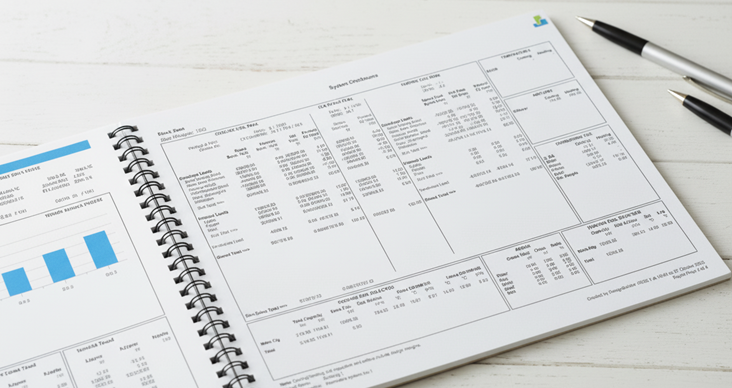
How to Generate HVAC Loads Reports
Step 1: To generate the HVAC loads report, first run the Heating Design and Cooling Design calculations. Then, on the Heating or Cooling Design tab, go to File > Export > Export HVAC Loads Report.
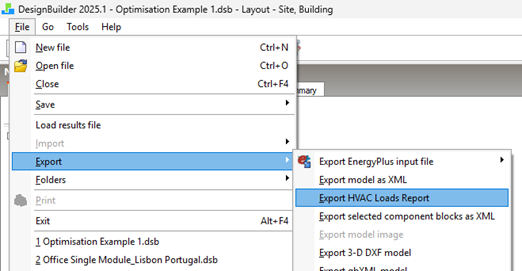
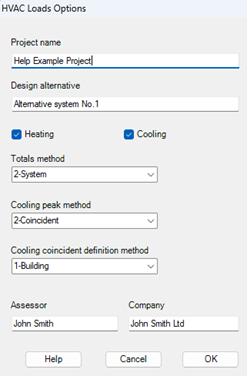
Step 2: This will open the ‘HVAC Loads Options’ dialog. In this dialog select the settings to define the data to be displayed and press OK. You can find an explanation of these options here.
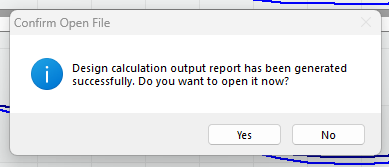
Step 3: This will create a combined heating and cooling loads summary for each zone in a standard PDF format. Once generated, you can save and open the report.
You can find a sample report here.
Note: This is a Beta feature under development. If you use these reports in your work, we would appreciate your feedback on the current structure of our report and any changes or additions you would like to see. You can provide that feedback below, and our support team will contact you if any clarification is needed.
UK Certification and CIBSE Modelling with DesignBuilder
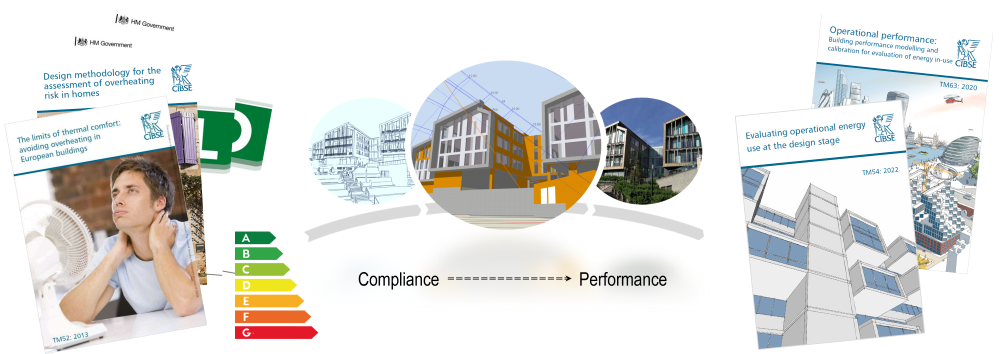
This page provides a short summary of DesignBuilder’s industry-leading capabilities.
Below, you will find links to our upcoming free webinars introducing DesignBuilder’s SBEM, DSM, and overheating (CIBSE TM52, TM59, and Part O) capabilities. Below that are several useful resources and links to content on CIBSE TM54 and TM63 design and performance modelling, plus relevant webinar recordings and real project case studies.
All these outputs can be delivered from a single model, minimising your modelling time and maximising your productivity and profitability. DesignBuilder is trusted building performance simulation software used by leading consulting firms including Arup, CBRE, Cundall, Mott MacDonald, Sweco, and WSP, because it provides:
High Productivity Workflows
- Shorter modelling times.
- Effective QA checking tools.
- Reduced modelling errors and project risks.
Cost-Effective and Flexible Licensing
- Single-user and shared network licenses
- Lower licensing costs, management complexity, and overheads.
Increased Throughput & Project Margins
- Faster onboarding
- Scalable capability for all modelling needs
- Highly responsive expert tech support
SBEM, DSM and Summer Overheating Introduction Workshops
Tuesday, 31st March, 7th, 14th April 2026 | 12:00 - 13:00 BST
These sessions show how to create models much more quickly and easily, and how to use a single DesignBuilder model for all your SBEM/DSM certification, TM52/59 summer overheating work, and any further performance modelling.
Register for the workshops here:
Certification (UK/Ireland)
To produce commercial Energy Performance Certificates (EPCs) and demonstrate Building Regulations compliance, DesignBuilder provides fully accredited SBEM and DSM interfaces for the UK and the Republic of Ireland. Users can generate official compliance documentation, including BRUKL reports and BERs, for Part-L2 (England & Wales), Section 6 (Scotland), Part-F (Northern Ireland) and Part-L (RoI). DesignBuilder streamlines these assessments by allowing you to build a robust 3D model, rapidly apply constructions, activities, and HVAC systems using comprehensive templates, and run the latest approved calculation engines directly from a single interface.
See our Certification module page for key features and guidance on generating these reports can be found here: SBEM and DSM Manuals, and our On-Demand Webinars shown below.
By completing DesignBuilder’s dedicated SBEM Training and DSM Training, followed by the associated exam, you gain the skills needed to efficiently model both new and existing commercial buildings. This pathway ensures you have the practical knowledge and formal accreditation to confidently deliver accurate EPCs and regulatory compliance reports for your clients.
Summer Overheating: CIBSE TM52, TM59, and Part O
To evaluate overheating risk through dynamic thermal simulation, you can undertake TM52 (non-domestic buildings), TM59 (residential buildings) and Part O (UK Building Regulations) calculations with DesignBuilder and generate TM52/TM59 reports with pass/fail indicators. DesignBuilder streamlines these assessments by providing dedicated output options, templates, and workflows, enabling users to quickly configure models, apply appropriate weather data, and generate compliance reports for both methodologies.
Guidance on generating these reports can be found here: CIBSE TM52; CIBSE TM59, Part-O.
DesignBuilder Overheating Training gives you the skills you need to offer your clients reports demonstrating compliance with the overheating-related requirements of Building Regulations (including Part O), plus the knowledge to comply with relevant aspects of guides and standards such as BB101 and BREEAM using the TM52 and TM59 methodologies.
CIBSE TM54
DesignBuilder allows users to undertake all aspects of CIBSE TM54 modelling with either Simple HVAC or Detailed HVAC options. The process involves creating a robust model that accounts for all regulated and unregulated energy uses, setting realistic operating schedules, and incorporating project-specific data for occupancy, equipment, and controls. DesignBuilder also enables scenario testing and sensitivity analysis, which are key TM54 principles for assessing risks and uncertainties in energy performance. This methodology helps designers identify potential performance gaps early, optimise building systems, and align design intent with actual operational outcomes.
This article lists various DesignBuilder CIBSE TM54 Modelling resources
CIBSE TM63
CIBSE TM63 modelling focuses on evaluating a building’s in-use energy performance through calibrated simulation, bridging the gap between design predictions and actual operational outcomes. DesignBuilder enhances TM63 workflows by providing advanced calibration tools, including scripting and optimisation features that allow users to create custom error metrics such as CVRMSE and NMBE, run automated optimisation to minimise these errors, and visualise results using parallel coordinates plots. DesignBuilder supports the import of metered data, iterative tuning of HVAC controls, and even digital twin development for ongoing performance monitoring.
See also: Best Practice Modelling Guidance at Various Project Stages
OnDemand Webinars
Case Studies

Insights
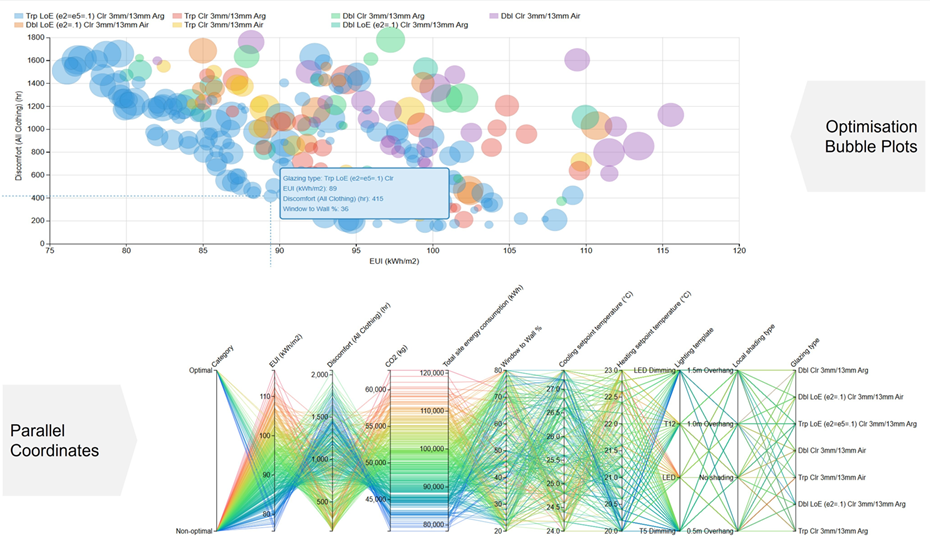
How to access Insights
The Insights website can be accessed through any web browser by pointing it to the DesignBuilder Analytics portal at analytics.designbuilder.co.uk
Registration
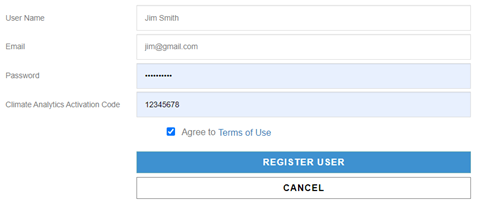
You need to register with an email address and a password before you can sign in. You can register for free by entering the special "guest" activation code 12345678, as shown in the screenshot above.
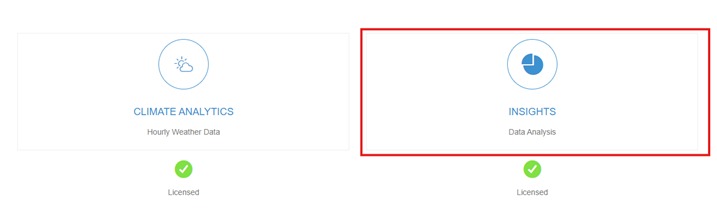
Once signed in, you will see the Analytics opening page, where you can click on the "Insights" button to access the Insights web app.
After logging in, you'll see a list of previously uploaded projects. If this is your first time using Insights, the page may appear blank. In that case, you'll need to upload results from your parametric simulations before you can analyse them.
More details on how to use insights can he found here: Insights Program Help
Step-by-step tutorials are available here: Basic Parametric Analysis and Basic Optimisation